Download Your Favorite Westgate Smoky Mountain Wallpaper HERE!


- Multiple image resolutions are available for download across various devices including mobile, desktop, and tablets/laptops.
- The article provides guidance on how to set up virtual backgrounds for video conferencing platforms like Zoom and WebEx.
- Images can be easily downloaded by tapping and holding the relevant links on mobile devices or right-clicking on desktop devices.
- Each image set includes a specific button for downloading in high resolution (1920x1080) specifically labeled for use as Zoom backgrounds.
- Details include links to official support pages for virtual background setups on popular video conferencing software.
Choose your favorite Smoky Mountain wallpaper!
LIVIN' LODGE!

CLICK BUTTON BELOW, THEN TAP AND HOLD IMAGE IN NEW TAB TO DOWNLOAD TO YOUR DEVICE:
Mobile:
Desktop:
Tablet/Laptop:
ZOOM Background:
ON TOP OF OLD SMOKY!

CLICK BUTTON BELOW, THEN TAP AND HOLD IMAGE IN NEW TAB TO DOWNLOAD TO YOUR DEVICE:
Mobile:
Desktop:
Tablet/Laptop:
ZOOM Background:
UN-BEARABLY WET!

CLICK BUTTON BELOW, THEN TAP AND HOLD IMAGE IN NEW TAB TO DOWNLOAD TO YOUR DEVICE:
Mobile:
Desktop:
Tablet/Laptop:
ZOOM Background:
THE COLOR OUT OF SPACE

CLICK BUTTON BELOW, THEN TAP AND HOLD IMAGE IN NEW TAB TO DOWNLOAD TO YOUR DEVICE:
Mobile:
Desktop:
Tablet/Laptop:
ZOOM Background:
CAFFEINATED COMFORT

CLICK BUTTON BELOW, THEN TAP AND HOLD IMAGE IN NEW TAB TO DOWNLOAD TO YOUR DEVICE:
Mobile:
Desktop:
Tablet/Laptop:
ZOOM Background:
OUT INTO THE FALL AIR

CLICK BUTTON BELOW, THEN TAP AND HOLD IMAGE IN NEW TAB TO DOWNLOAD TO YOUR DEVICE:
Mobile:
Desktop:
Tablet/Laptop:
ZOOM Background:
SLED WEATHER!
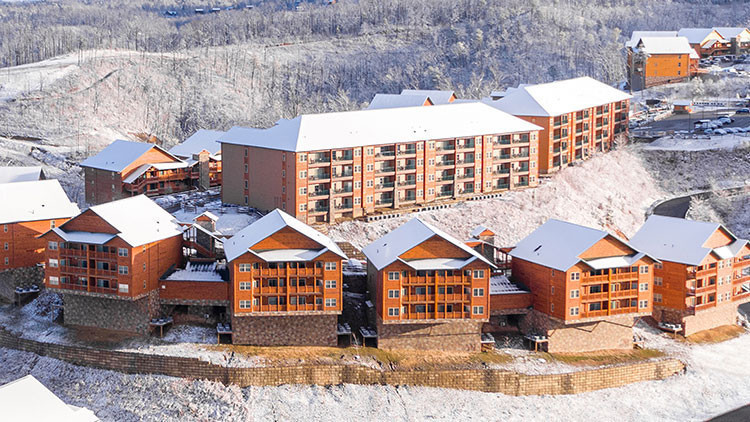
CLICK BUTTON BELOW, THEN TAP AND HOLD IMAGE IN NEW TAB TO DOWNLOAD TO YOUR DEVICE:
Mobile:
Desktop:
Tablet/Laptop:
ZOOM Background:
How to Set Up a Virtual Background
Not sure how to set one of these awesome backgrounds on your preferred video conference center? We've got some helpful links below that explain how to do it. While not all video conferencing software offers the option, we'll update as we find more helpful resources for you.
For Zoom:
For WebEx:
At Westgate Resorts, when you Check-In, there’s a LOT to Check-Out! Visit Westgate Smoky Mountain Resort & Spa to start planning your next Gatlinburg vacation. Or, talk with a vacation planner at 888-852-2959 or 407-355-2690.
When You Check-in, There's a Lot to Check Out
Sign up for our newsletter and check-in to great offers, secret stuff, and special events.